QAQC Results
The QAQC Results tab on the Analytics page allows the user to get general information about the Quality Assurance and Quality Control, which shows the status of all measurements from the project.
The figure below displays the Analytics page with the QAQC Overview tab selected for the Kenwave - 25-850 Can-Explore Alouette project. The red rectangle highlights the QAQC Overview menu.
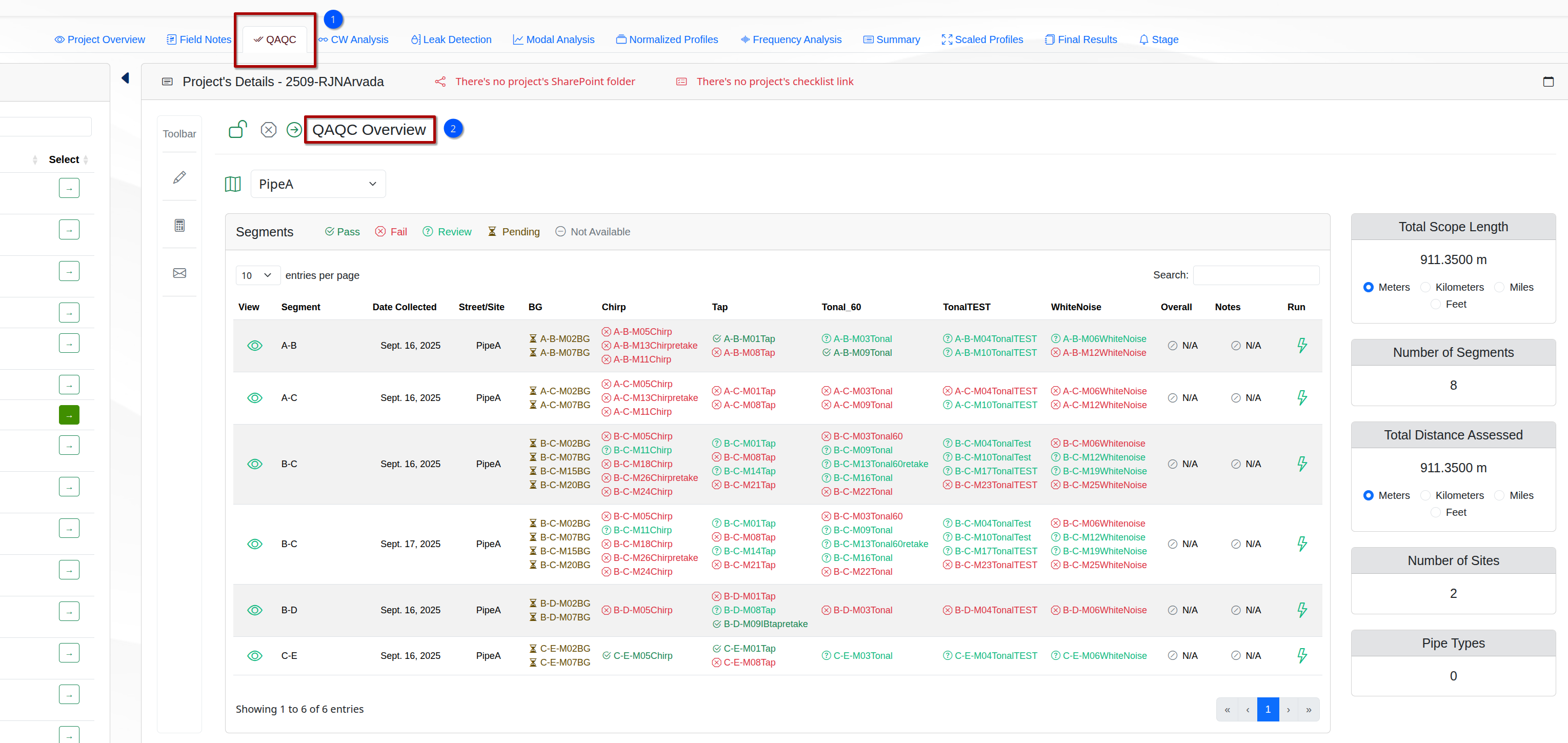
The QAQC Overview tab contains the following elements:
Site Selector → A dropdown list to select a project’s site.
Table Segments → A panel with a table displaying the selected site’s segments.
Project Info Cards → A group of panels showing the selected project’s general information, like the number of its sites and segemnts, located at the top right of the QAQC Overview tab.
Select Site
To start using the QAQC Overview tab, the user needs to select a site’s name from the Site Selector dropdown list.
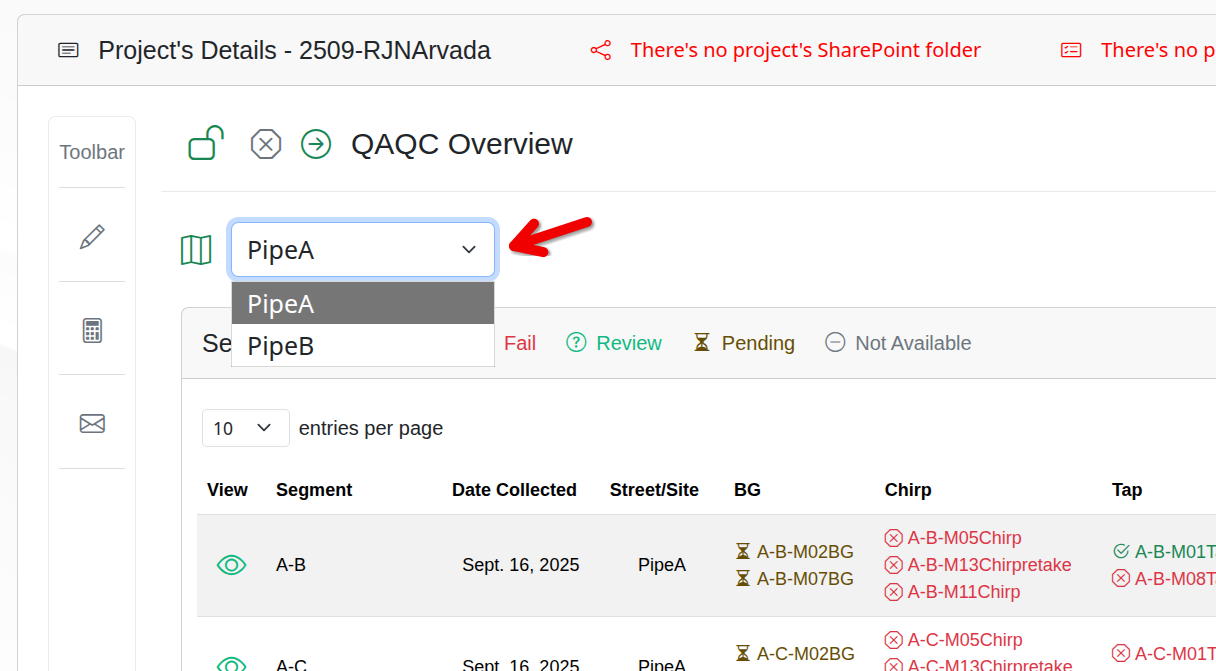
The Select Site list updates the table Segments with the site’s segments and their information.
Table Segments
The table displays the following columns:
- View → An icon to allow the user to view the segment's QAQC results.
- Segment → The segment's name.
- Date Collected → The date when the measurements were collected for the segment. It drives the user to the QAQC Results subtab, which displays the segment's QAQC results.
- Street/Site → The segment's site.
- Excitation Types → The excitation types used to collect the measurements for the segment.
- Overall → The general Pass or Fail result for a segment, depending on the status of its measurements.
- Notes → Additional notes for the segment.
- Run → Run QAQC script on the segment.
2. The Excitation Types may show one or more columns, depending on the segment. So, the number of columns may vary for each segment.
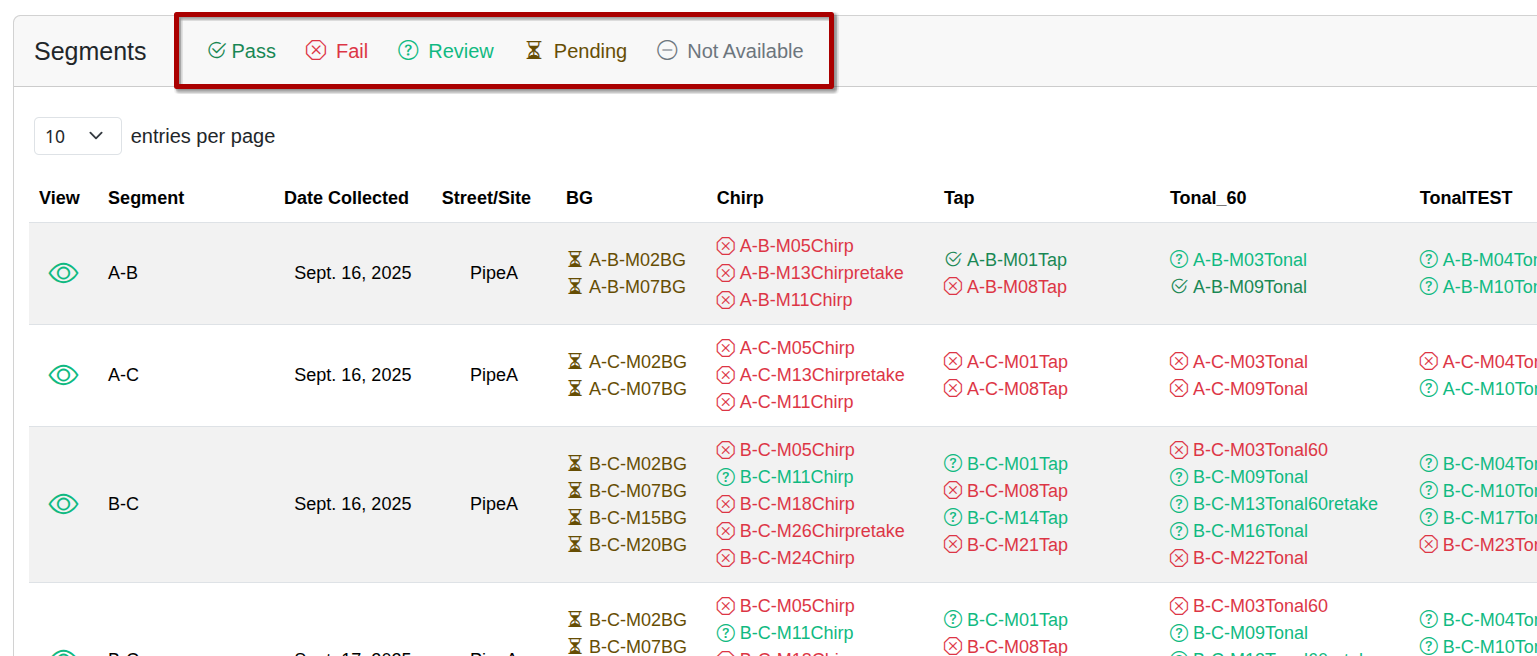
The Excitation Types columns show the measuremnts collected for the segment, with icons that represent their measurments’ status:
- → The measurements for the excitation type are OK.
- → The measurements for the excitation type are failed.
- → The measurements for the excitation type need a review.
- → The measurements cannot run analysis while pending.
- → The measurements status isn't defined or not available.
Project Info Cards
The Project Info Cards are located at the top right of the QAQC Overview tab and show the following selected project’s information:
Total Scope Length (Km) → The total length of the project’s scope in kilometers.
Total Distance Assessed (Km) → The total distance assessed for the project in kilometers.
Number of Sites → The total number of sites in the project.
Number of Segments → The total number of segments in the project.