Projects
The Projects button on the Companies page shows the company’s projects within the following status:
Active
Active Recording
Analysis Pending
Analysis in Progress
Analysis Review
Analysis Published
Archived
Disabled
Project Draft
Project Issue
Project Review
The figure below shows an example of the Company Projects projects of the KenWave Solutions Inc company.
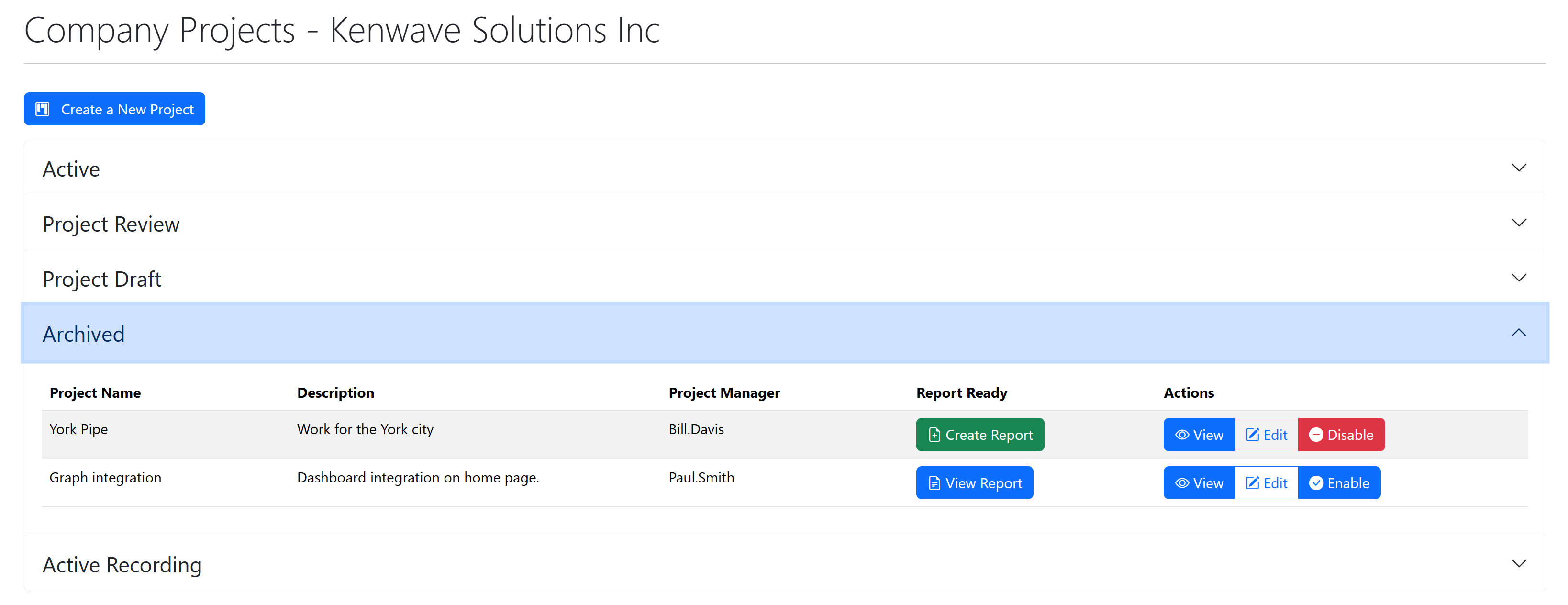
By clicking on the Create a New Project button at the top of the page, it is possible to create a new project directly from the Company Projects page. Click on the link bellow to follow the instructions.
The page also shows an accordion with the projects in the company. The accordion divides the projects by the status of the company’s existing projects, which appear on the accordion’s headers. Clicking on each header displays a table which shows the projects with that status category, with the following columns:
Project Name
Description
Project Manager
Report Ready
View Report / Create Report
Actions
View
Edit
Enable / Disable