Create a New Project
To create a new project on the Projects page, follow the steps below:
Creating a New Project
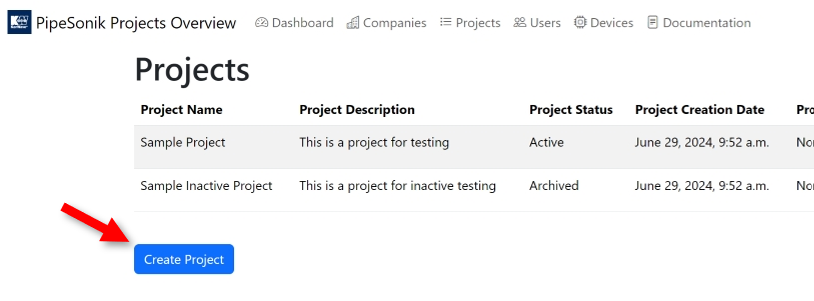
On the navbar, click on the Projects menu.
On the bottom-left corner of the Projects page, click on the Create Project button.
Fill the fields on the Create Project form.
Error
The Active Until field content must be a date after the current date.
Click on the Create Project button.
Select the manager of the company in the Company manager dropdown list.
Note
If the manager does not appear in the list, ask your administrator to include them as a new user in the DRI Analytics database.
The figure below shows an empty Create Project form:
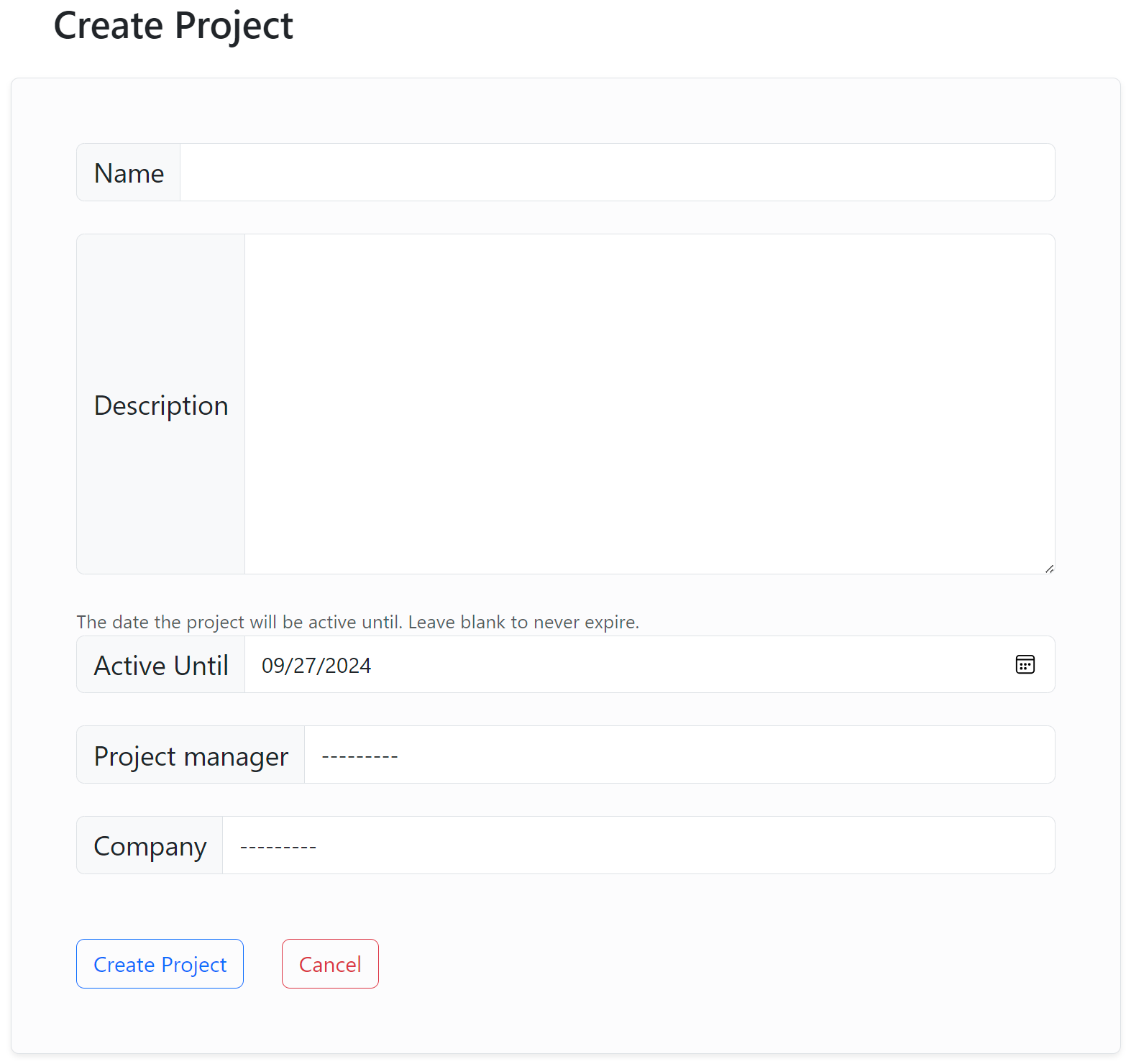
Create a new project form