View
The View button on the Projects page allows the user to get general information about the selected company’s project.
The page displays the following information:
Project Name
Project Description
Project Start Date
Project End Date
Project Status
Project Created By
Project Created Date
Project Last Updated By
Project Last Updated
Date
Project Manager
Project Actions
Recording Actions
In addition, the list below the Project Detail card shows the data about recordings of the selected project:
ID
Time
Recording Group
- Recording Location
Longitude
Latitude
Recording Section Group
Recording Section Location
Done By
Actions
The figure below shows a device view:
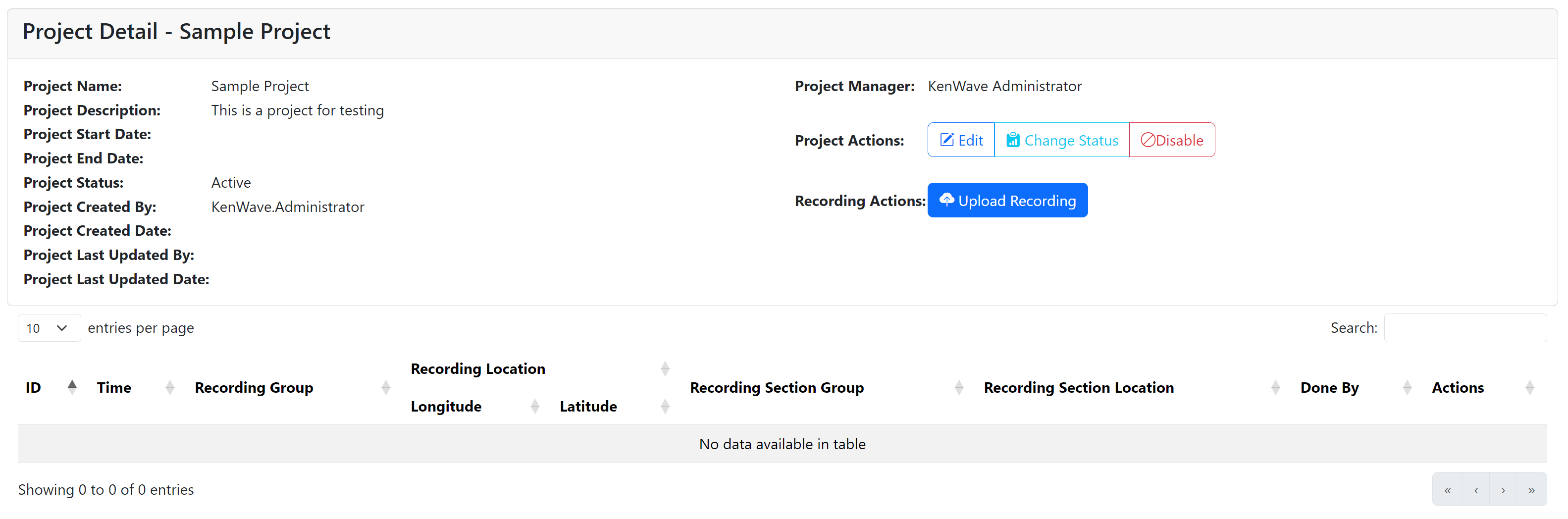
Devices view on the Devices page