Devices
Assign Project to Device
To assign a project to a device on the Devices page, follow the steps below:
Assigning a Project to a Device:
On the navbar, click on the Devices link.
On the Controls column, click on the blue Assign Project button; the Assign Project page appearss.
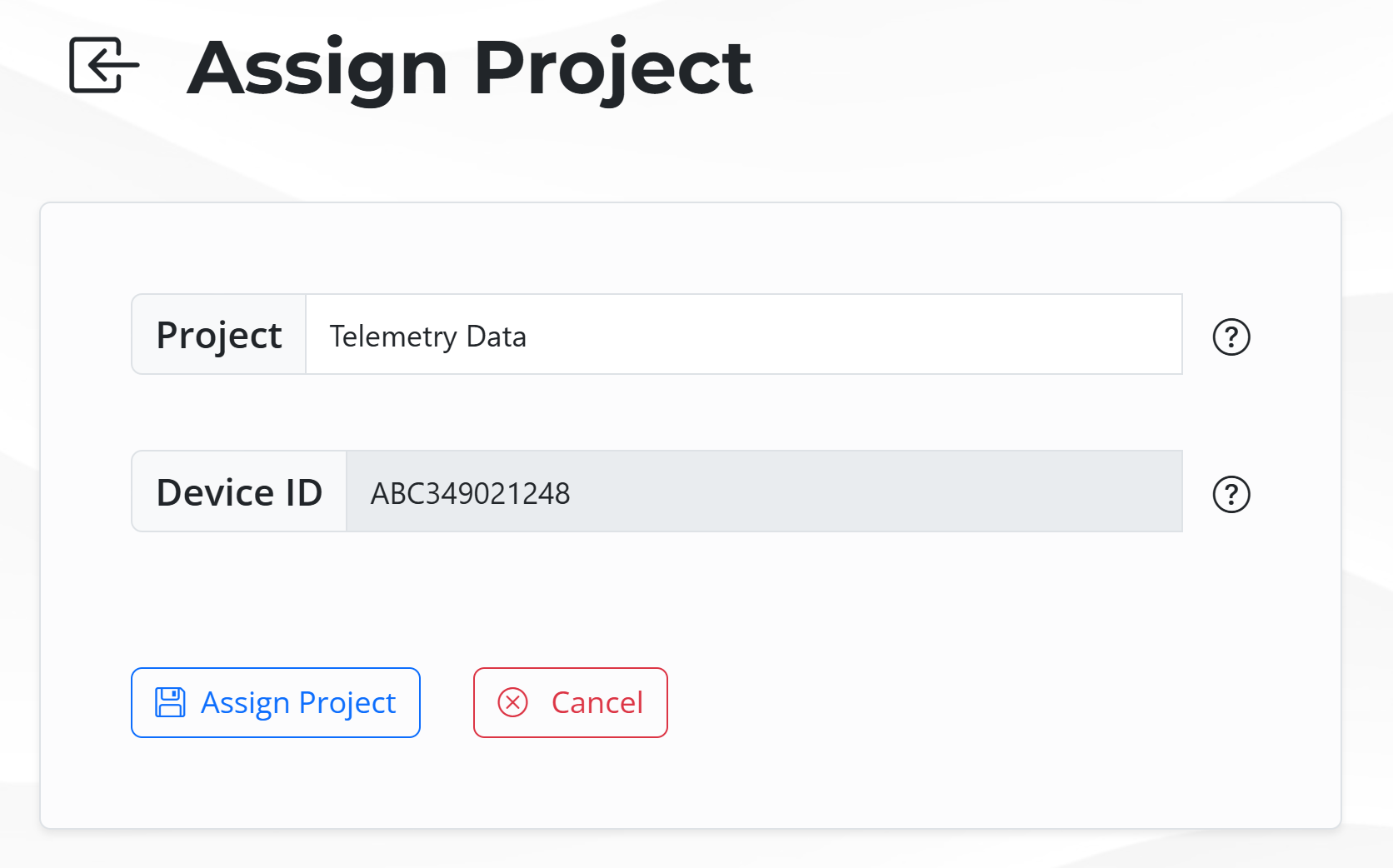
Click on the button Assign Project to assign the project to the device; click on the button Cancel to dismiss it.
Error
If the Device is not active, the page will show the error message Project must be activate.
The figure below presents an example of the Devices page with the error Project must be active.
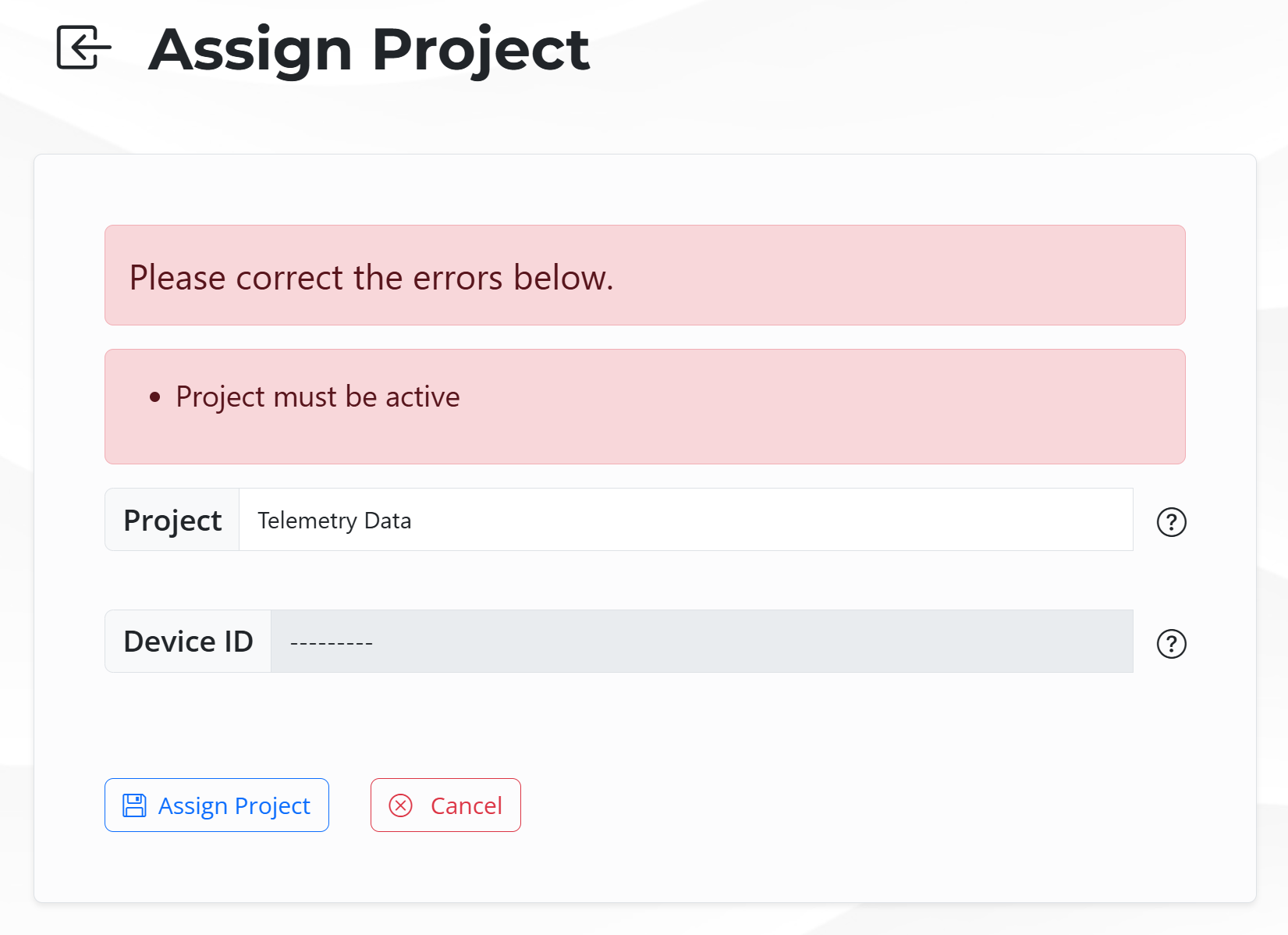
Project must be active error