To see a device’s metrics dashboard, follow the steps below.
Open the telemetry page
On the navbar, click on the Devices link; the Device Management page opens showing a list of available devices.
On the Telemetry column of the table, click on the View button; the Device Telemetry page opens showing a list of recording times.
At the right of the table, click on the Details button.
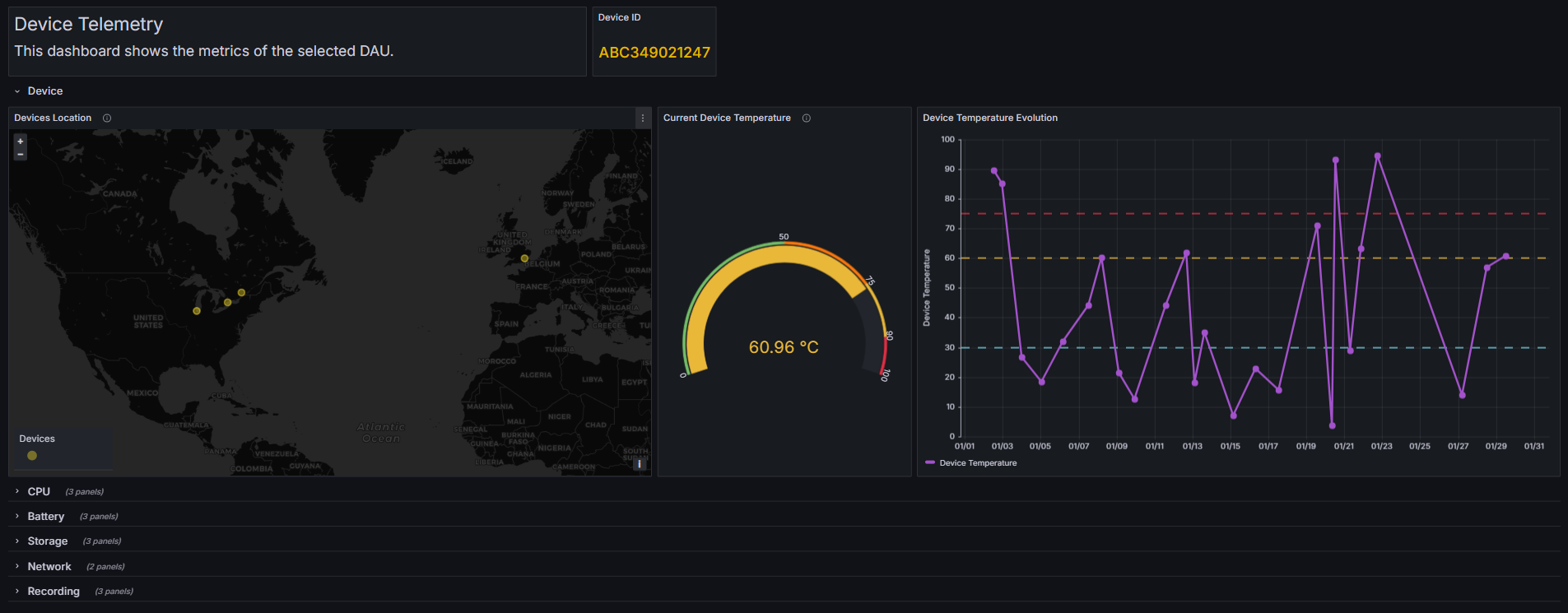
Click on the Show Graph Dashboard button to see the metrics on a graphical format.
Note
The Show Graph Dashboard button opens a new tab on the web browser to show the device's telemetry dashboard.
The Details buttons on the Device Telemetry page opens the respective Device Telemetry Details page, where it is possible to observe the metrics for different recording times.
To return to the device telemetry list, click on the button.
The example below shows the device’s metrics dashboard relative to the device ID ABC349021247.
 button.