Specifications
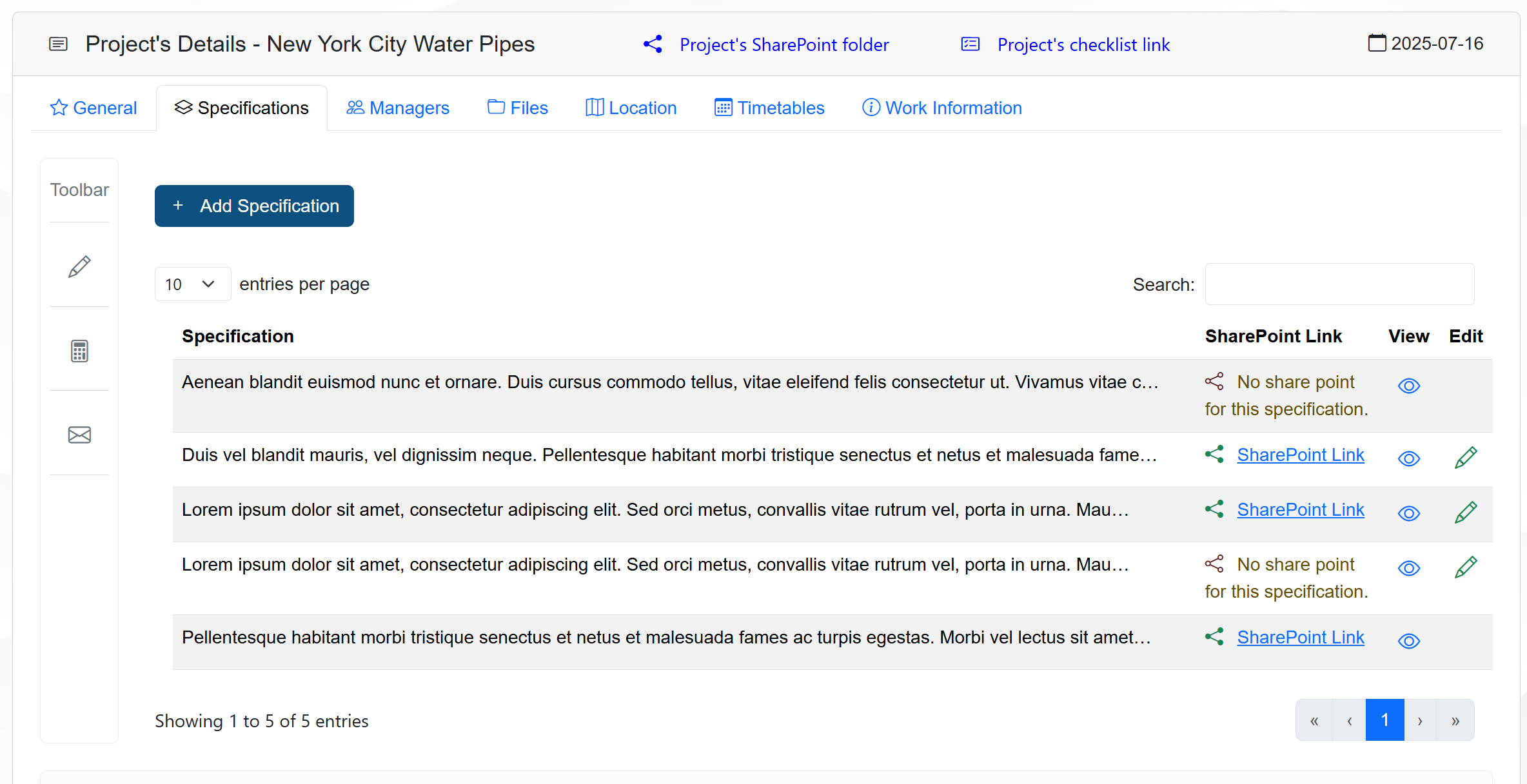
The Specifications tab on the Management page allows the user to view, create, and edit specifications for the selected project.
It provides a structured way to manage the specifications related to the project, ensuring that all necessary details are documented and easily accessible.
The figure below shows an example of the Specifications tab.
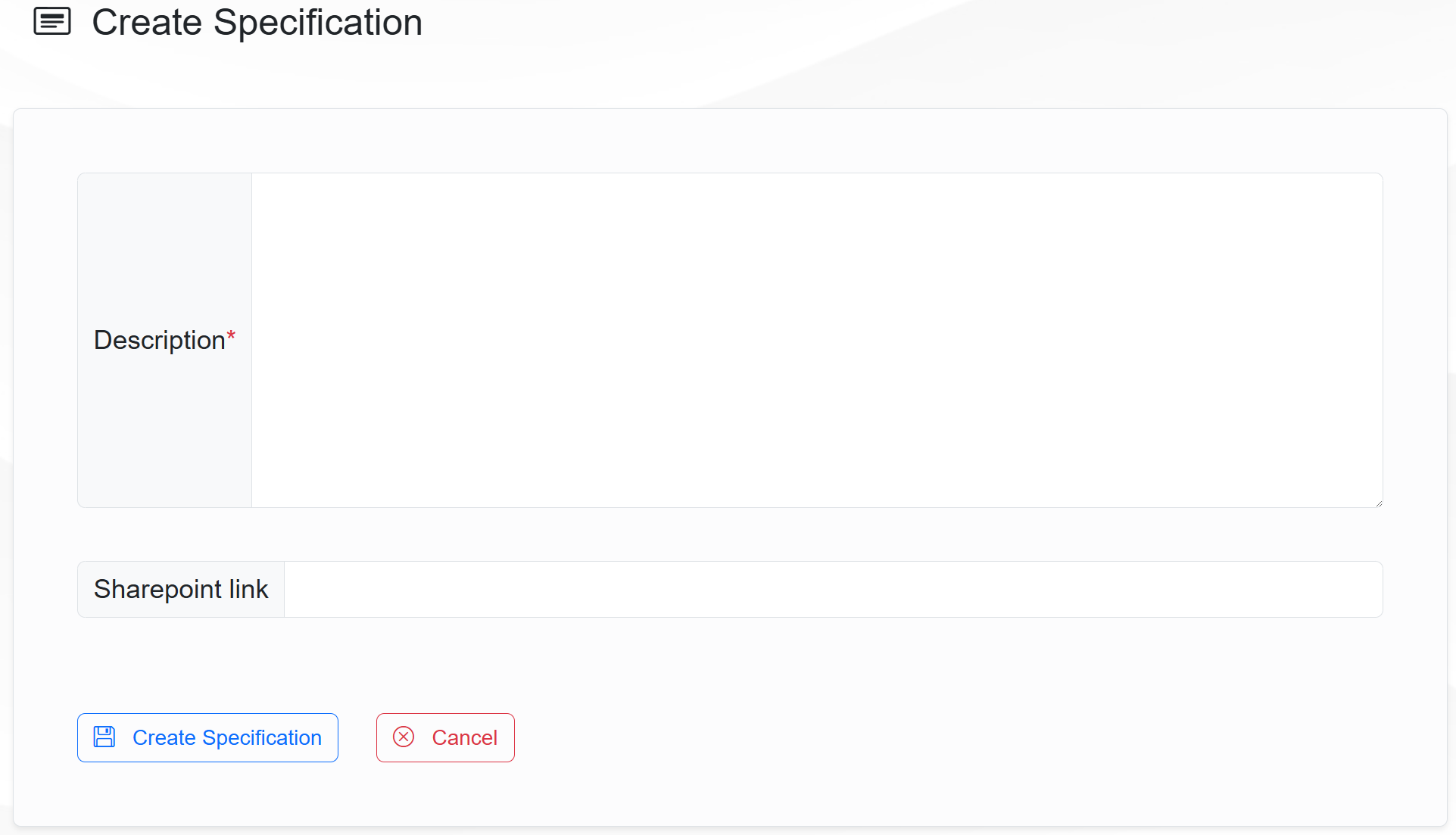
To create a new specification, click on the button Add Specifiaction. The Create Specification page will apeear, allowing the user to enter the details of the new specification.
The figure below shows an example of the Create Specification page.
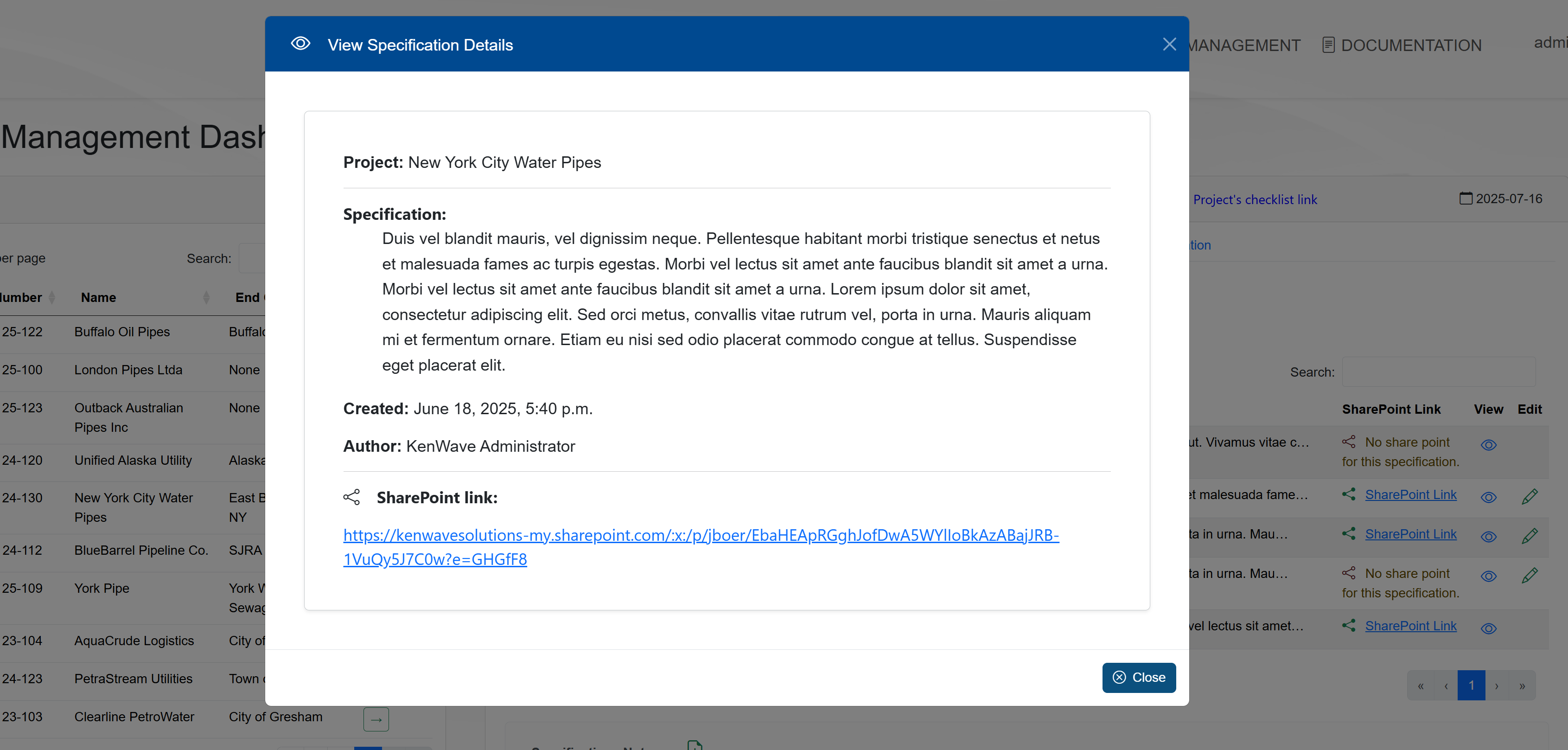
To view a specification, click on the View icon on the specification line. The View Specification Details modal window will appear, allowing the user to view the details of the specification.
To edit a specification, click on the Edit icon on the specification line. The Edit Specification modal window will appear, allowing the user to edit the details of the specification.