Manage Groups
To manage groups on the Analytics app, click on the button Manage Groups of the Field Notes Forms toolbar. The Manage Groups panel will open showing the informatino and icons presented in the figure below.
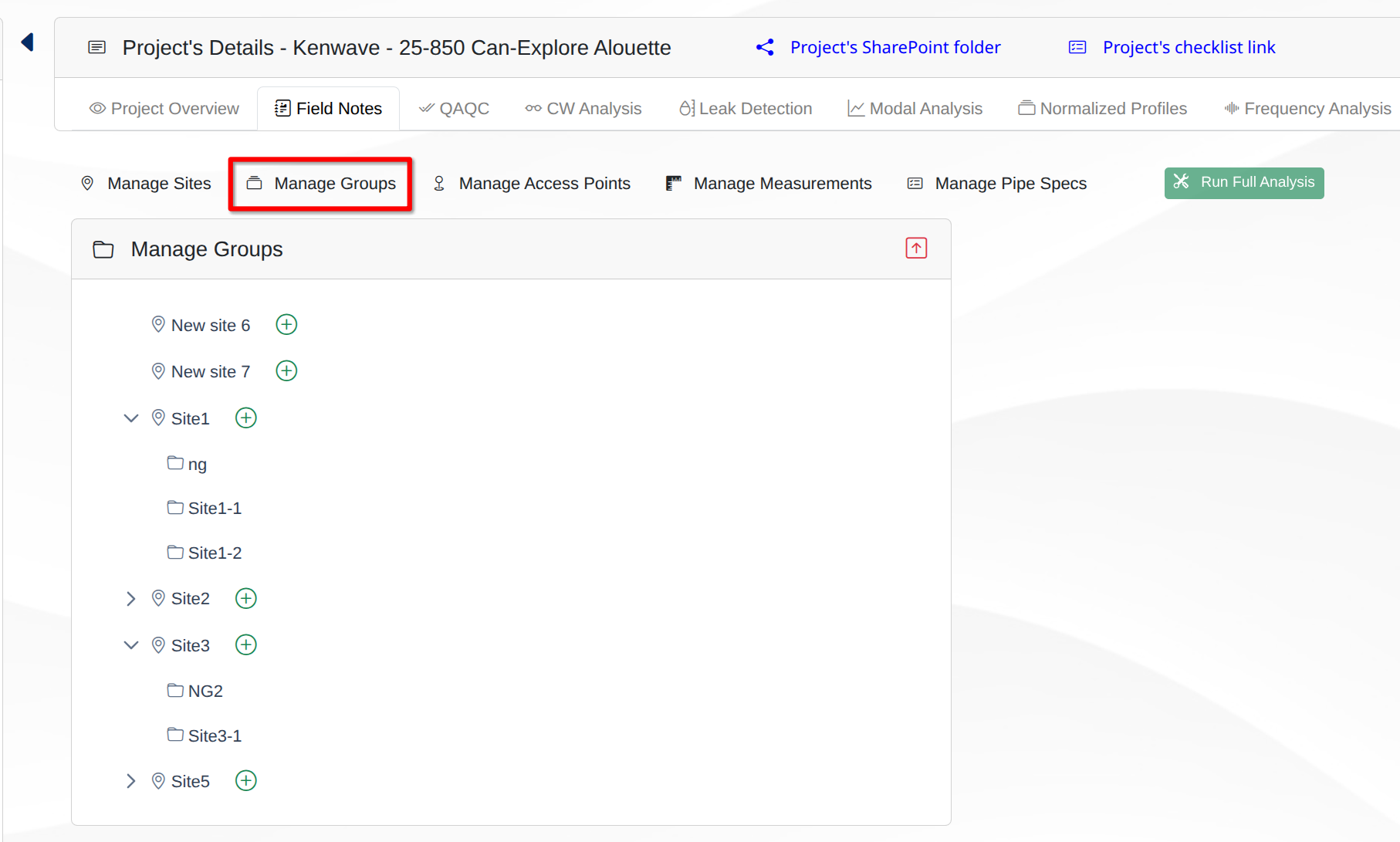
Manage Groups panel
The panel allows the user to see the selected project's sites and their groups. Beside each site, there's a plus icon to include new groups inside the related site. Clicking on this icon open the add group text field and its action icons save and cancel .
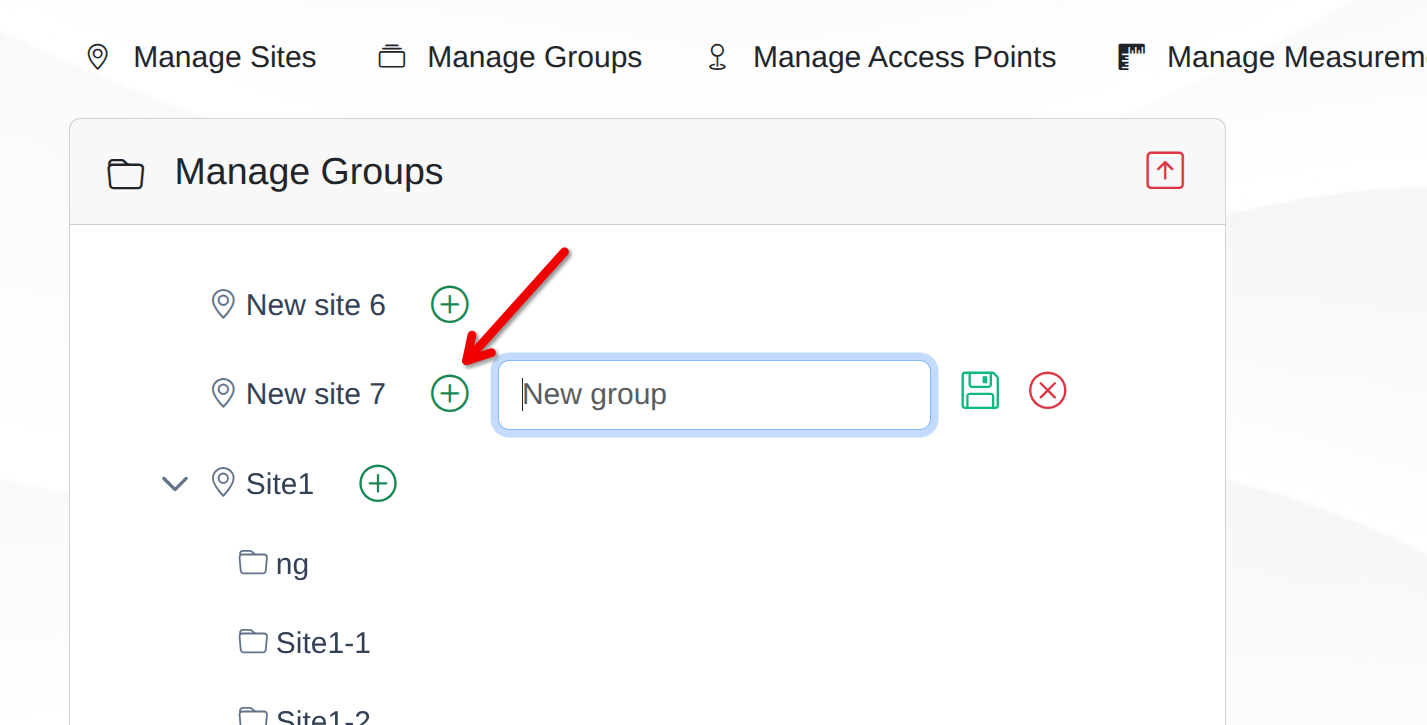
Add group field
Type the group name and click on the save icon or cancel the operation clicking on the cancel icon.
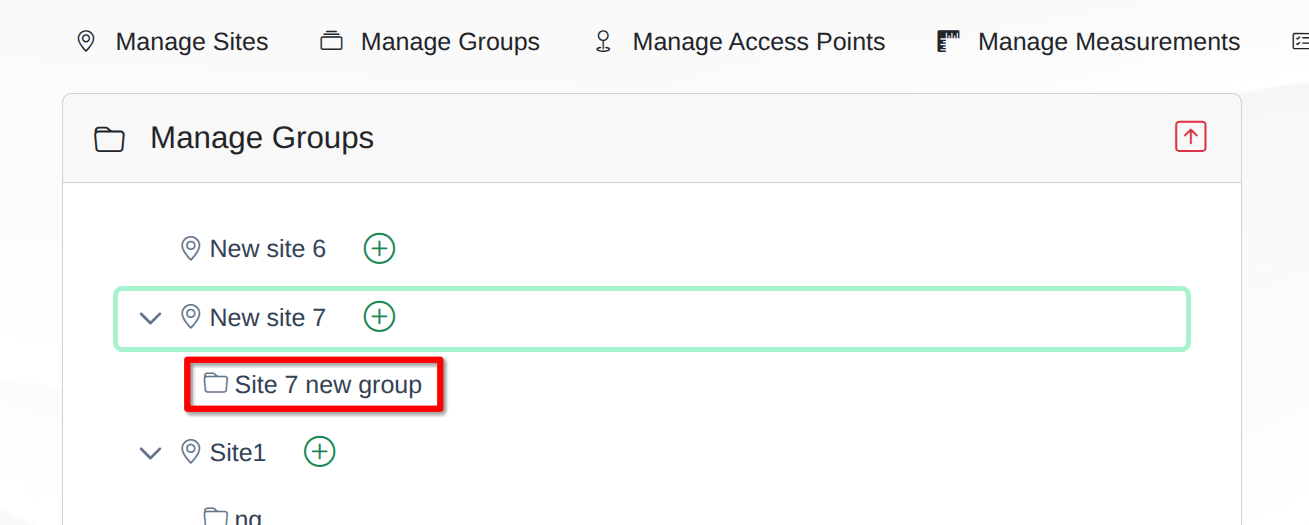
New group added to its site
Warning
Only underscores (_) and dashes (-) are allowed in the group name. Any other character will throw an error message asking to reenter the group's name.
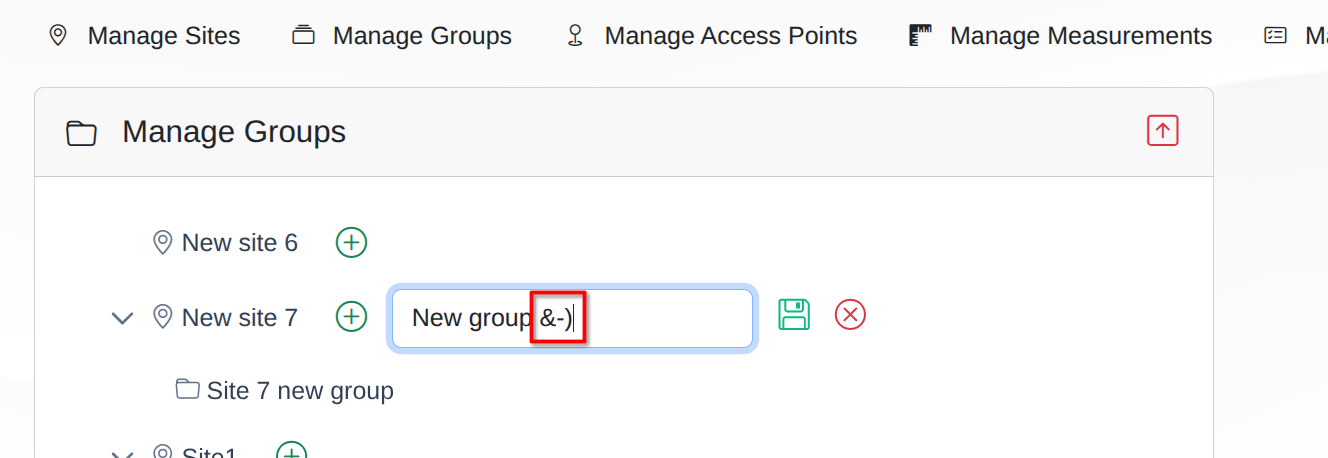
New group name with invalid characters